Psi Chi point tracking
An internal tool replacing a confusing manual submission process
Background
Members earn volunteer and membership points toward chapter requirements, but submissions arrived as texts, emails, spreadsheet rows, and photos across three systems. Records were lost, and members had no way to confirm whether a submission had been counted.
As volunteer chair, I experienced both sides of the process. Answering members’ questions about submissions and being lost within a confusing process myself in previous years.
The process was not complicated, but the lack of clear guidelines and uneeded extra steps was where members were having trouble.
Understanding the problem
- Two point types are reviewed by two different chairs, so every misdirected submission had to be forwarded by hand.
- Members did not know how many points each category required, which generated most of the questions to officers.
- Photo documentation was requested after the fact, and that gap was where records were lost or members would forget to follow up until weeks later, leading to back and forth of confusion and clarification.
Product vision and solution
Records became more accurate because members had to submit all required information, and fewer members reached out to ask about their point status
Defining the MVP
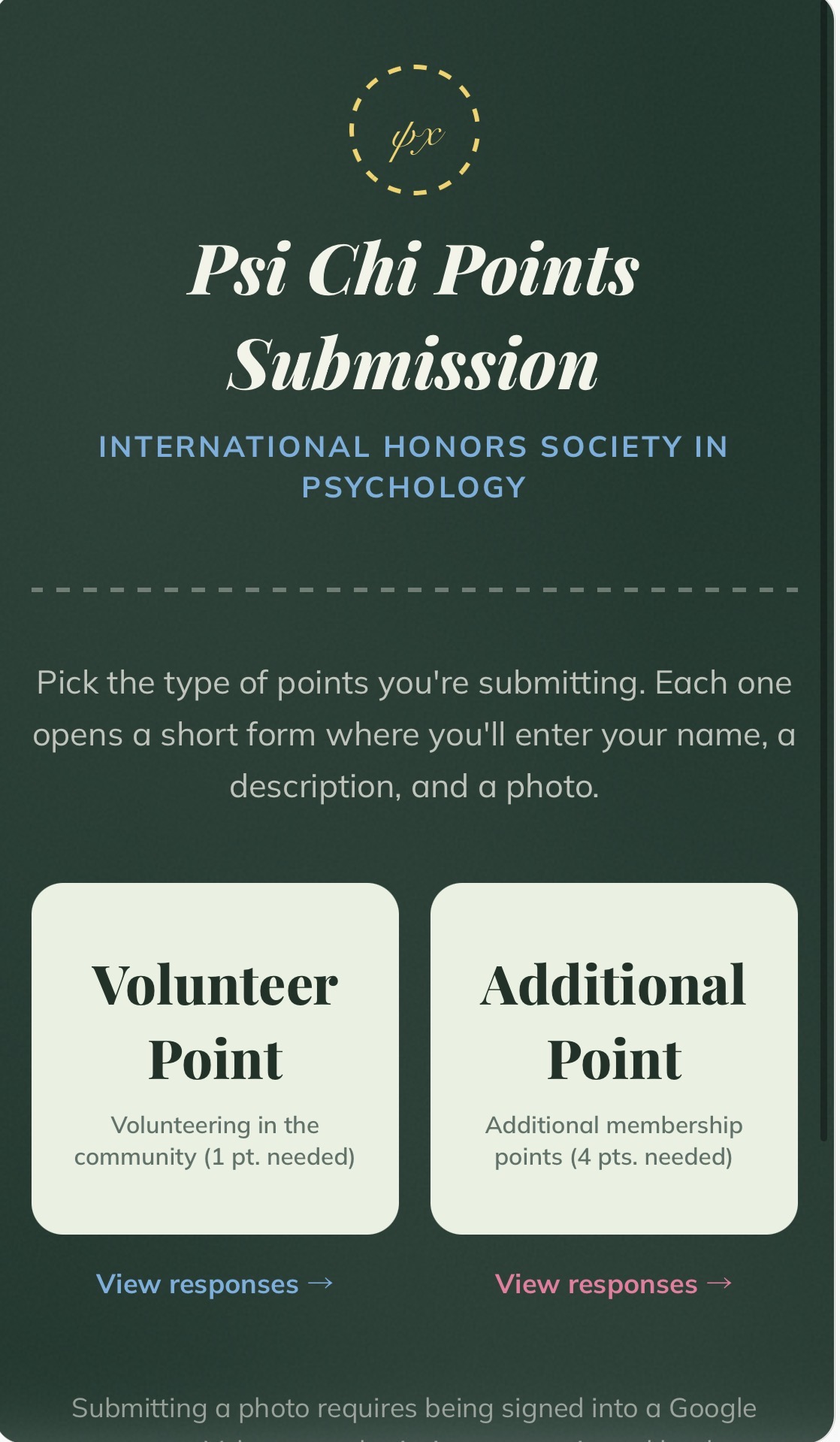
- Clear category buttons: Clarifying the point type first means nothing has to be re-routed by hand later.
- Rules are placed next to the point type: Each type shows how many points are required next to it.
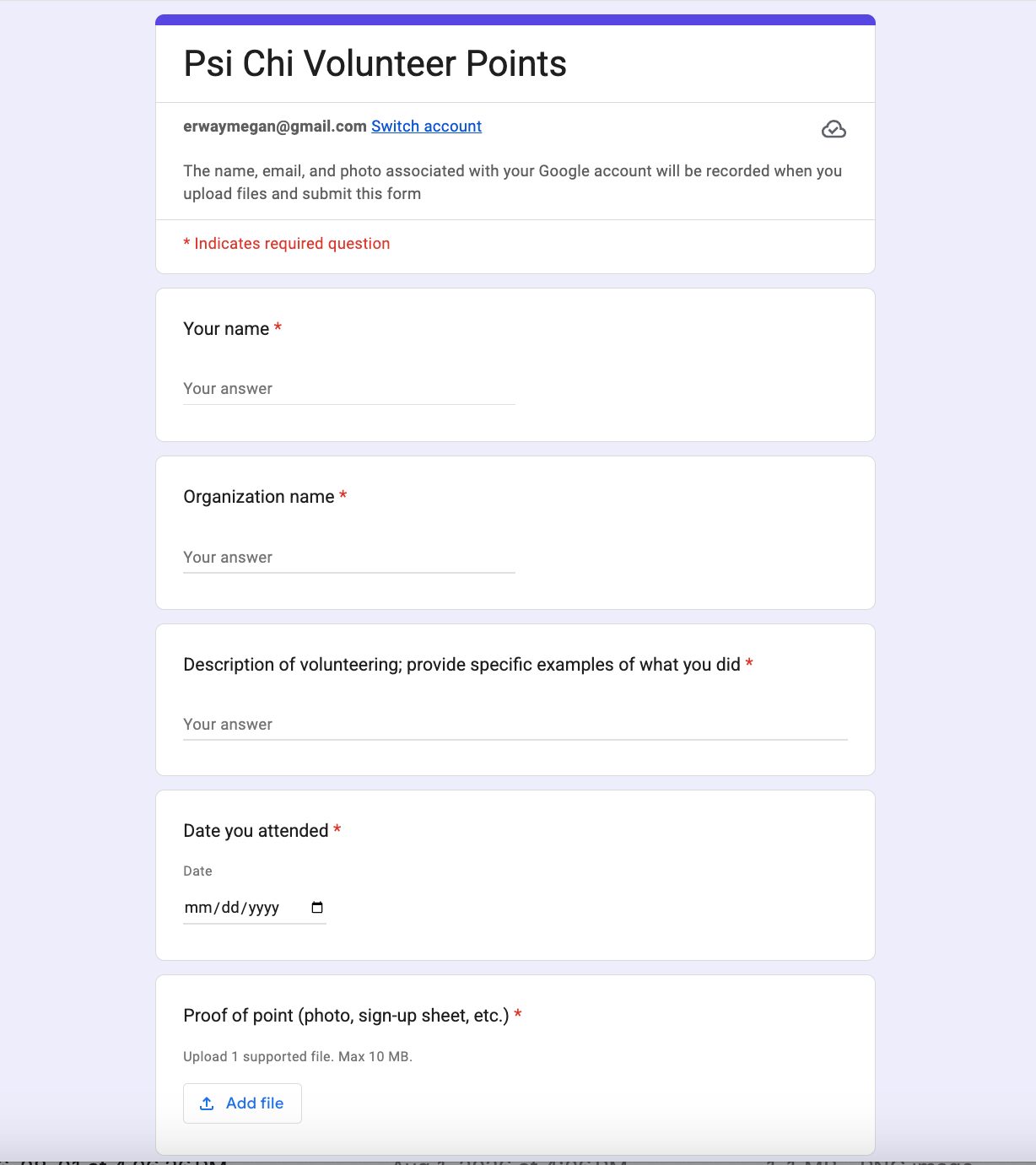
- Proof at submission: Required up front rather than requested afterward, which closed the gap where records leaked.
Next Steps
Members still cannot see their own running total, so the next steps will be giving each member a point balance against their requirement. That removes any uncertainty on the member's end and gives them reassurance that their points are being accepted.